Talk. Let go.it's typed.

Hold Ctrl Space, talk, let go. Clean text lands at your cursor. Your voice never leaves your laptop.

Free & open sourceNo accountNo word limitWorks offline

Team chat
MayaIs the build green? I want to cut the release before standup.
Message #release
? for shortcuts
CtrlSpaceHold it to talk.
Let go to type.
Press and hold
to talk.

The window

Quiet until you need it.

Neptune lives in the tray. The pill at the bottom of your screen is all you see while you talk.

  • Every dictation, searchable
  • Stats for where you talk
  • Three screens, nothing to set up
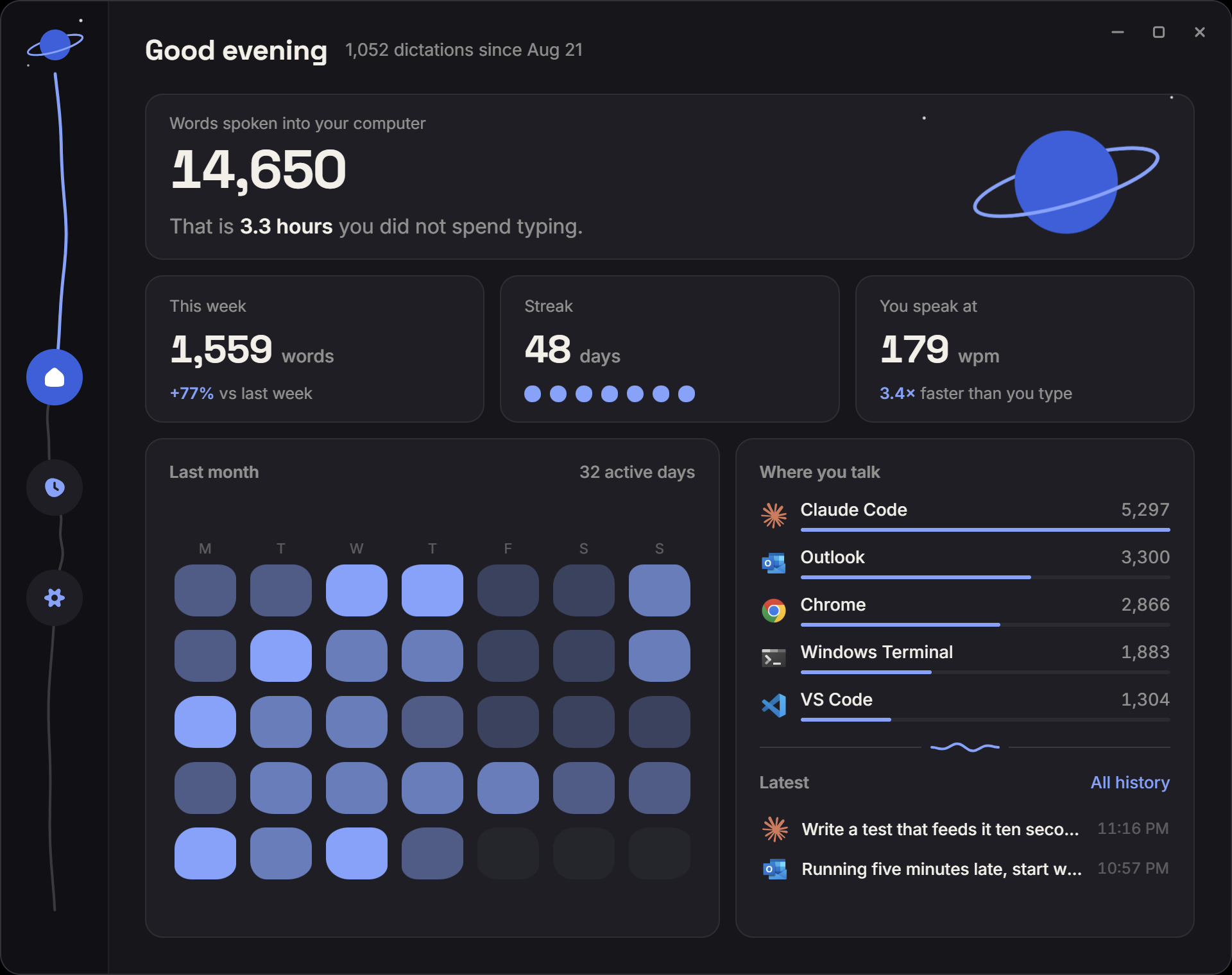
The Neptune app on Windows in its night theme: words spoken, hours of typing saved, last month as a calendar, and the apps you dictate into most

Where your voice goes

It never leaves the room.

Wispr Flow sends every dictation to “the cloud” (a warehouse of servers in Virginia) and back. Neptune stops at your laptop.

  • Mic opens only while you hold
  • One model download, then offline
  • No cloud, nowhere to send it
Neptune
0.00028mi(1.5 ft)every time you talk
Wispr Flow
4,818mievery time you talk

What it does

You talk faster than you type.

People speak at
196wpm
Type an hour a workday? Save
3.7hours a week
How much can you say?
∞words

Speaking: 196 wpm across 2,438 recorded conversations (Yuan, Liberman & Cieri, 2006). Typing: 52 wpm across 168,000 people (Dhakal et al., 2018).

Four shortcuts

That's the whole manual.

Go on, press them.

CtrlSpace
Hold to talk
CtrlShiftSpace
Hands-free
CtrlShiftV
Paste last
CtrlShiftH
Open history

Compare

How it stacks up.

AppPriceYour voiceLimits
NeptuneFreeStays on your laptopNone
Wispr Flow~$12-15 a monthProcessed in the cloudFree plan caps words per week
Windows voice typingFree, built inSent to Microsoft’s serversRaw transcript, no cleanup or history
HandyFree, open sourceStays on your laptopBare-bones: cleanup off by default, history hidden

Questions

Straight answers.

Is it a free Wispr Flow alternative?

Yes. The same hold-to-talk dictation with cleanup, but free, open source and running locally, so nothing goes to a server. And we think it's the best-looking dictation app on Windows.

Is it listening all the time?

No. The mic opens only while you hold the shortcut, or between the two presses in hands-free. The pill shows when.

Does anything leave my laptop?

Your voice and text never do. It works fully offline. The model downloads once at setup; the only traffic after is a version check.

Which apps does it work in?

Anything with a text cursor. If there's nowhere to type, it offers a Copy button instead.

Is it free? What's the catch?

No catch. Free and open source under the MIT licence: no account, no ads, no word limit. Read the code, build it, run it yourself.

Is it named after the planet?

Yes. Neptune is about 2.8 billion miles away. A Wispr Flow dictation from San Francisco travels about 4,818 miles, to Virginia and back, so about 580,000 of them would carry your voice to Neptune. At 100 a day, that's 16 years. With Neptune, each one travels 1.5 feet: you'd need about 9.8 trillion, or 270 million years.

Mac?

On the way. Windows comes first.

Download

Get Neptune.

Free forever. Hold Ctrl+Space and say something.

Made by Aron Frishberg. MIT licence. Privacy.